Software
Free download
Full-featured application for capturing, viewing and analyzing images. Available for Windows and Android at no extra cost.
Windows
v2.2.2 • 102 MB
Android
v2.4.0 • 8 MB
Software screenshots
A quick look at the interface and key tools.
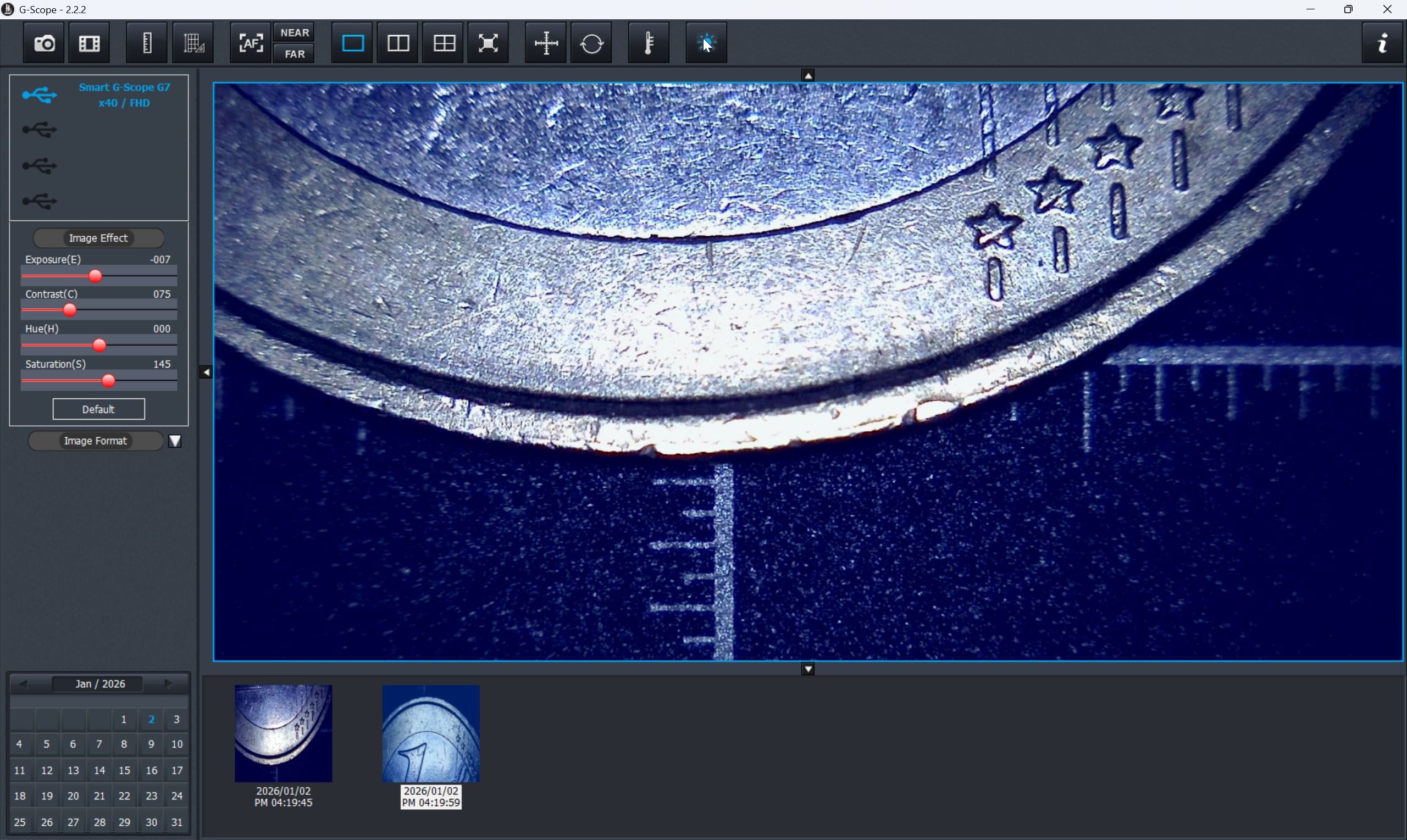
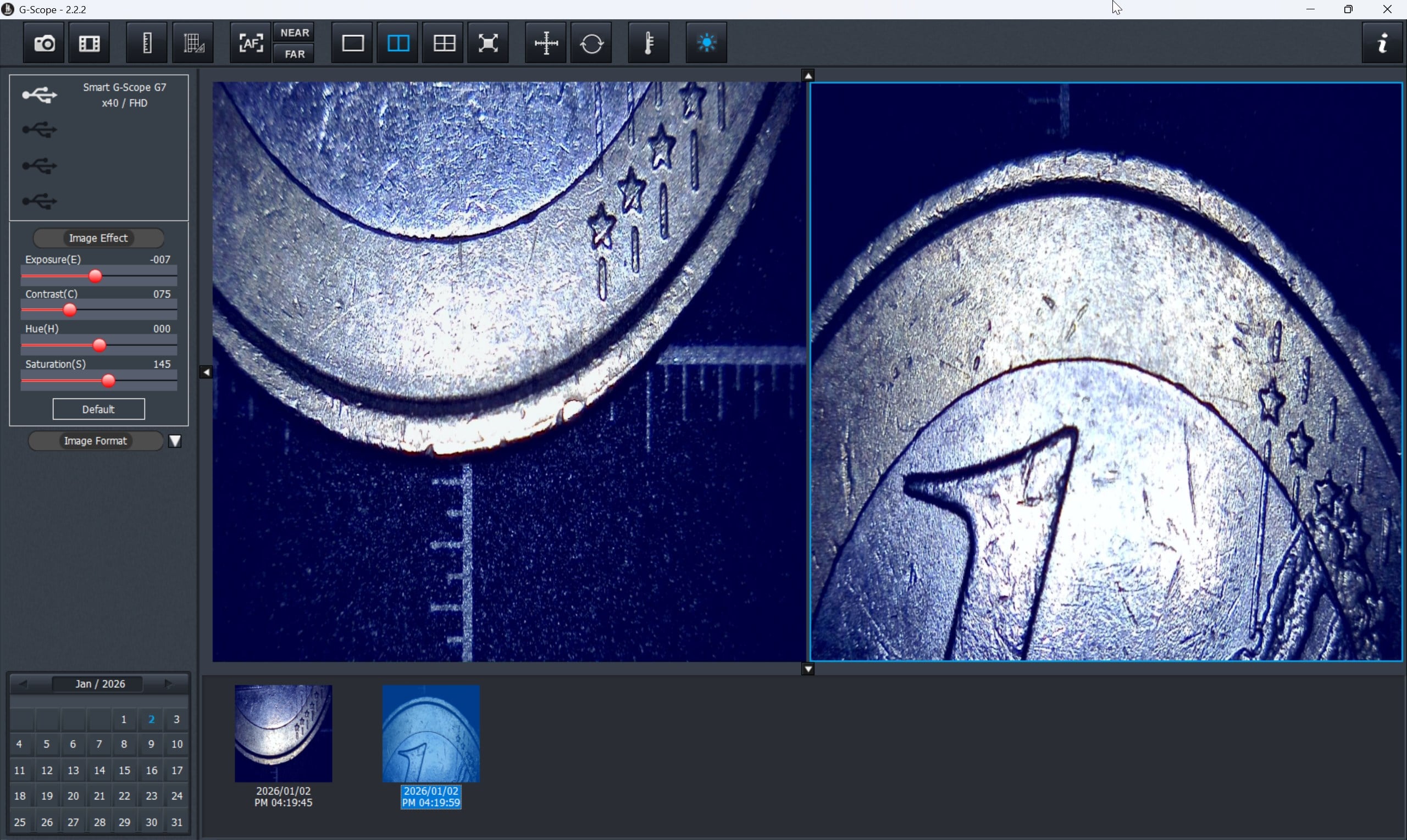
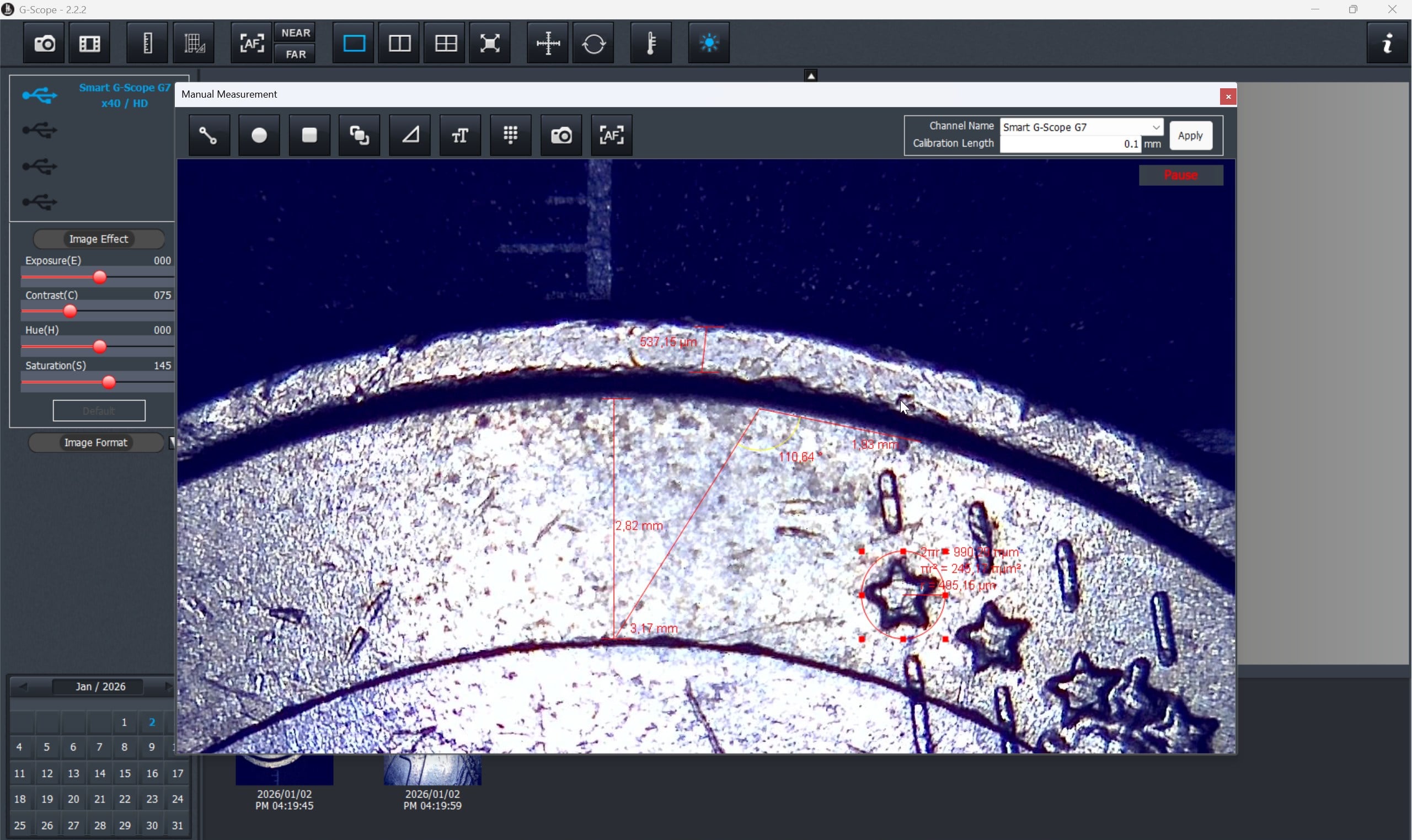
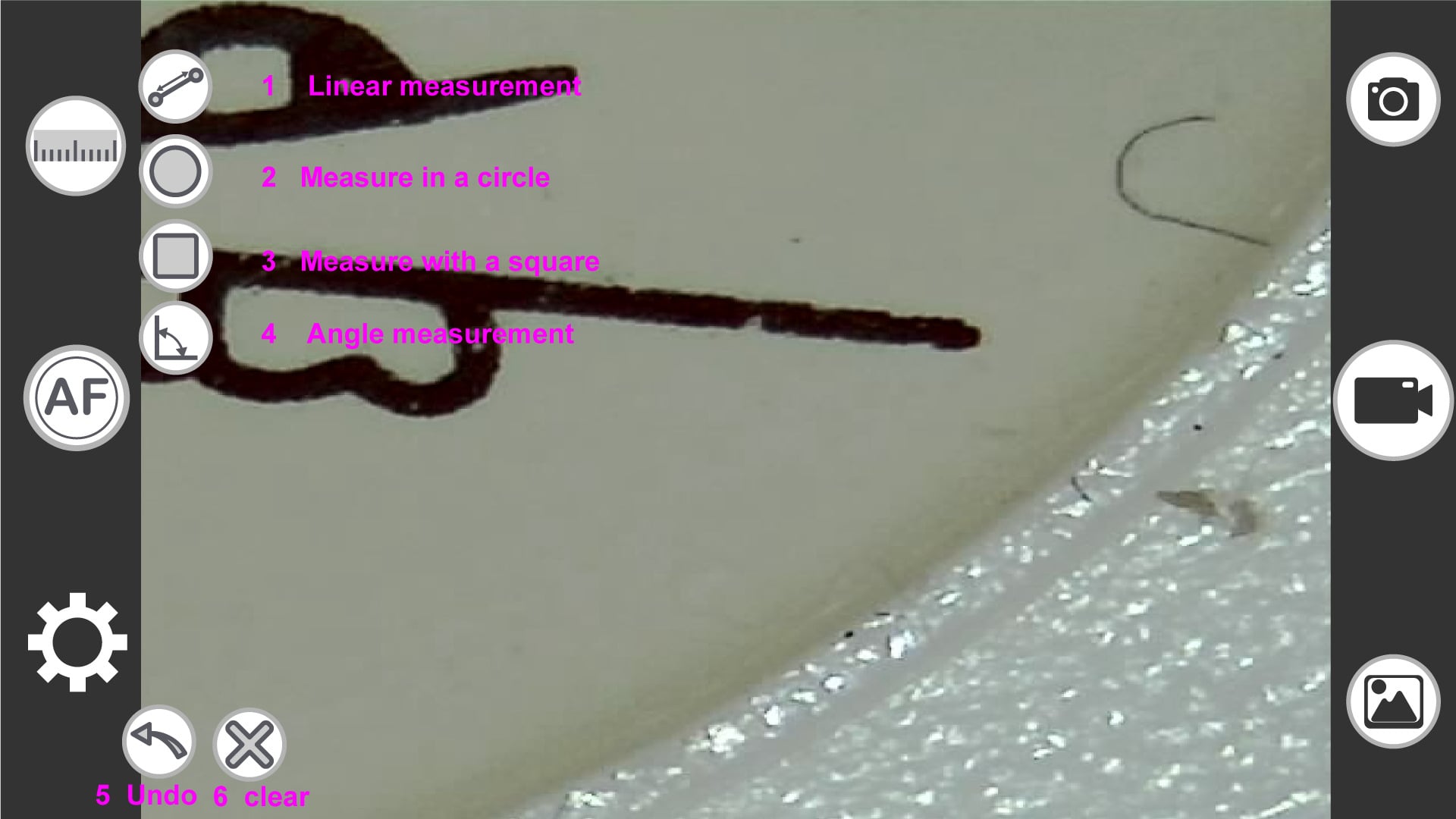
Click any image to enlarge.
Key features
Everything you need to get the most out of Smart G-Scope
Image & video capture
Full HD (1920×1080) photos and 30fps video with manual controls
Measurement tool
Calibrated measurements on images with multiple units
Annotations & markers
Add text, arrows and shapes on your captures
Image comparison
Side-by-side view for follow-up and monitoring
Professional control
Control the device directly from the software
Image adjustments
Brightness, contrast, saturation, white balance
System requirements
Make sure your device meets the minimum requirements
Windows
- Operating system
- Windows 7 (64-bit) or later
- Processor
- Intel Core i3 or equivalent
- RAM
- 4 GB minimum, 8 GB recommended
- Disk space
- 200 MB
- Port
- USB 2.0 / 3.0
- Display
- 1280×720 minimum
Android
- Operating system
- Android 6.0 (Marshmallow) or later
- Port
- USB-C with OTG support
- RAM
- 2 GB minimum
- Storage
- 8 MB
Quick installation guide
- 1 Download the installer from this page
- 2 Run the downloaded file (Windows) or install via Google Play (Android)
- 3 Follow the installation wizard steps
- 4 Connect Smart G-Scope to a USB port
- 5 Open the app and start using the device
Release notes
Change history and improvements
- • Fix recording issue on some graphic cards
- • Fix small memory leak in UVC DLL
- • New application icon
- • Support beep sound when auto/manual focusing
- • Fix empty log file
- • Support GPU H/W encoding
- • Video renderer auto-selection support
- • Improved DirectShow rendering compatibility for video recording
- • Fixed extra preview window issue when measuring in DirectShow-7 mode
- • Changed from VMR9 to VMR7 for recording preview to improve graphics card compatibility
- • DLL fix for DirectShow MP4 encoding filter
- • Fix crash when captured image filename was invalid
- • Add DirectShow renderer option to handle graphics driver compatibility
- • Add capillary measurement
- • Fix drag & drop issue after launching from installer
- • Self-signing for executable and setup file
- • Capture image format compatibility with Android App
- • Capture image file import support
- • Measurement text editing support
- • Fix image file viewer for Android imported files
- • UVC extension stability improvement
- • Support length display in angle measurement
- • Add preview ruler property support (thickness, length and color)
- • New MAXIM14574 lens driver table support
- • Out-of-date table version notification support
- • Fix error values 10x greater than expected
- • Fix filename format error when saving measurement file
- • Change .NET Framework minimum requirement to 4.6.2
- • Fix rotation issue
- • Improve preview ruler tick thickness and font
- • Fix image viewer lower part cut-out issue
- • Fix 1-line offset problem on saving from image measurement
- • MS Surface Pro internal camera issue correction
- • DirectX Crossbar filter support
- • Error logging and emailing log file to support staff
- • Major new release of G-Scope PC App with multiple new and updated features
Security & privacy
Smart G-Scope software is digitally signed and contains no ads or tracking. All data is processed locally on your device. We comply with GDPR and do not collect personal information.
View privacy policy →